Dear players
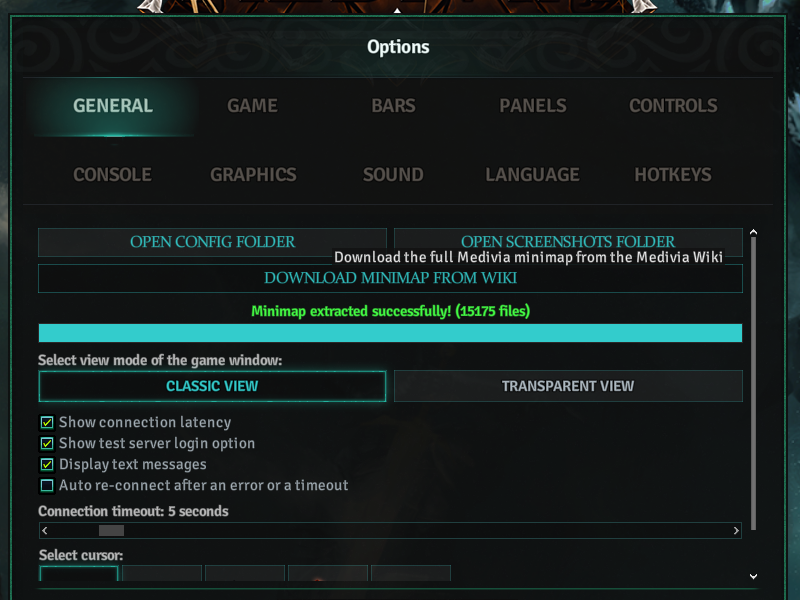
A new option in the game client allows you to download the full minimap sourced from Medivia Wiki. This is especially helpful for new players or anyone who wants a clean, fully discovered minimap.
Be aware that using this option will replace your current minimap. If you want to keep your existing map data, back it up before proceeding.
You can find the feature in Options under the General tab.
Quick steps:
- Open the client and go to Options.
- Select the General tab.
- Click DOWNLOAD MINIMAP FROM WIKI and confirm.
If you encounter any issues after the download, restore your backup or repeat the download to refresh the files.
Also, we have fixed a minor issue that affected loading custom sprites when using non-HD sprites.